LinkedIn Sales Navigator in 2026: Features, Pricing, Alternatives, and Better Prospecting Workflows
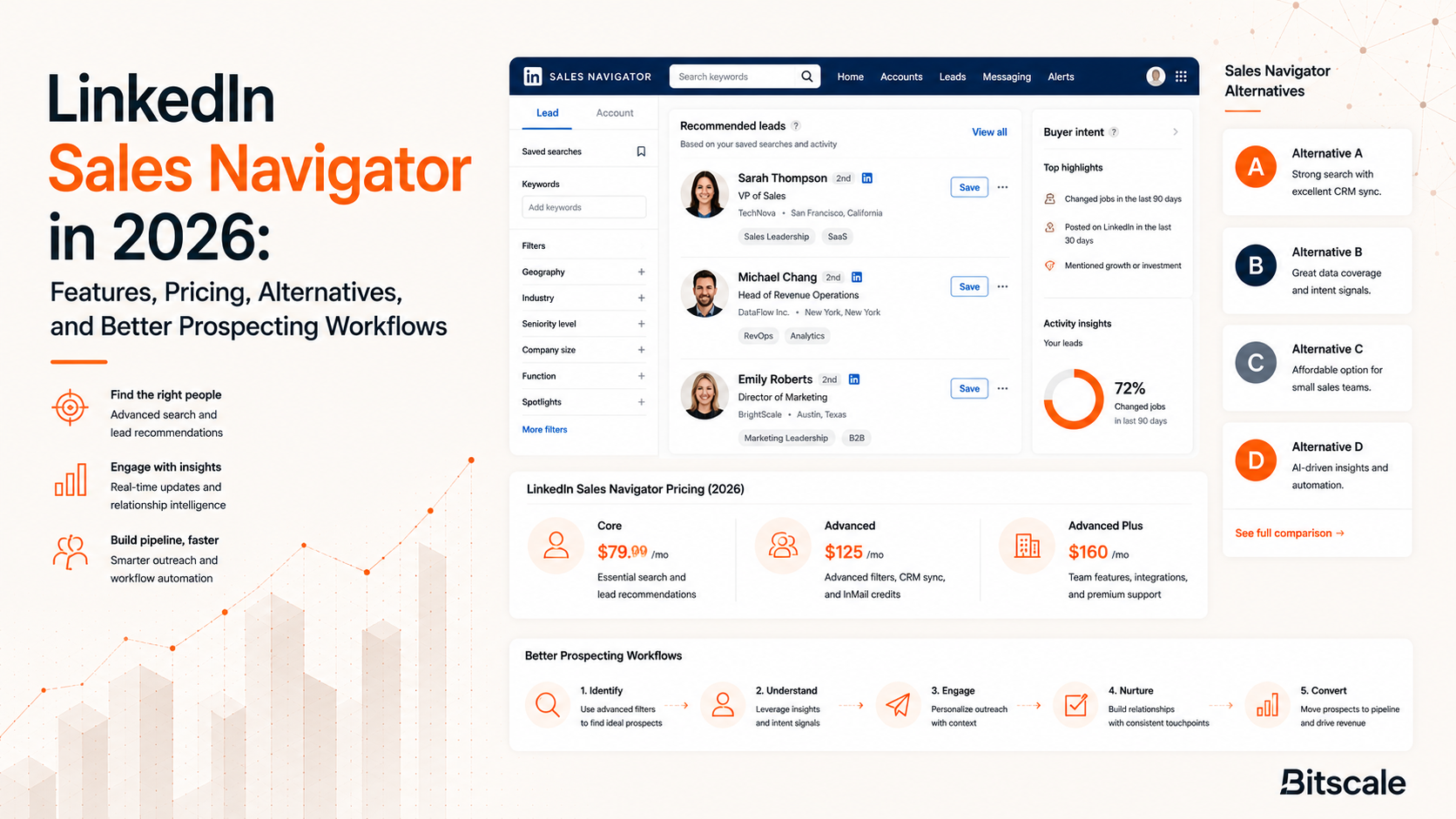
Table of Contents
Explore Bitscale
Find decision makers, more insights and contact information about this company on Bitscale
In 2026, LinkedIn Sales Navigator is still where most B2B teams start when they need pipeline. LinkedIn's billion-plus profiles give sellers a rare mix of prospect context: job history, org structure, and the little engagement breadcrumbs that hint at timing. LinkedIn cites customer success studies showing that teams using Sales Navigator often improve prospecting efficiency and account research outcomes.
RevOps leaders run into the same friction, though: Sales Navigator is great at finding people and pretty mediocre at operationalizing them. It won't turn a saved lead into an outbound-ready record with verified email, direct dial, enrichment fields, and clean CRM routing. Below is what Sales Navigator nails, what it costs, where it creates downstream work, and which sales navigator alternatives actually cover the activation layer. If you're rethinking your prospecting sales intelligence stack, save this and come back when you're knee-deep in list-building.
What Sales Navigator Actually Does Well
Sales Navigator has gotten noticeably smarter over the last few cycles. By 2026, LinkedIn is leaning on AI features like Account IQ and Lead IQ to flag intent signals, sketch out buying committees, and surface engagement patterns you would otherwise miss. The advanced filters (title, company size, geography, seniority, industry) are still the benchmark for prospect discovery. If you want access to LinkedIn's first-party professional graph, nothing else really substitutes for it.
Plans include monthly InMail credits, though allocations vary by tier and may change over time. Native integrations with Salesforce, HubSpot, and Microsoft Dynamics 365 can sync leads and accounts so reps aren't copy-pasting profile details all day. For account-based motions, "Recommended Leads" plus relationship mapping helps reps spot warmer paths into target accounts. If your job is research and relationship intelligence, Sales Navigator earns its seat.
Sales Navigator Pricing in 2026
Sales navigator pricing is still split across three tiers. LinkedIn offers multiple Sales Navigator plans, including Core, Advanced, and enterprise-focused tiers with custom pricing.
For discovery and research, the pricing is hard to argue with. The catch is what you're actually buying: access to LinkedIn's walled garden, not outbound-ready contact data. Sales Navigator won't hand you work emails, direct phone numbers, or the enriched firmographic fields most teams rely on for routing and segmentation. So every lead you save still needs a second pass before it belongs anywhere near a sequence. If you run high-volume outbound, that gap turns into a real throughput problem.
The Operational Gaps After Prospect Discovery
Most outbound teams hit the same wall in week one. A rep builds a clean list of 200 ICP matches in Sales Navigator, exports it (often via a third-party scraper because native export is constrained), and ends up with a spreadsheet of names and titles that can't be contacted. The enrichment step simply isn't part of the Sales Navigator workflow. You can't pull verified work emails, find direct dials, append technographics or intent, or score leads on buying signals without layering in other tools.
Then there's CRM hygiene, which is where good intentions go to die. Sales Navigator can sync activity into your CRM, but it won't clean, dedupe, or standardize the records it creates. If Salesforce already has 50,000 contacts with inconsistent fields, Sales Navigator will gladly pile on more inconsistently formatted data. You end up with a CRM that looks busy and still can't power segmentation or automated outreach. Teams trying to build better lists faster with AI prospect research usually need a layer between discovery and execution to keep the system usable.
Sales Navigator Alternatives Worth Evaluating
Prospecting sales intelligence has splintered into specialists. A few products compete with Sales Navigator on discovery, but most of the interesting ones focus on the enrichment and activation steps LinkedIn doesn't try to own. These are the options that come up most often in stack reviews.
Bitscale plays a different game than Sales Navigator. Instead of fighting LinkedIn on discovery, it picks up right after you identify prospects: enrich contacts with work emails and phone numbers, append firmographic and intent data, clean up CRM records, and push outbound-ready lists into sequencing tools. It also includes ready-made sales workflows, AI prospect research, and buying-signal detection. If Sales Navigator is your telescope, Bitscale is the production line that turns sightings into pipeline you can actually work. For teams already running a lead enrichment workflow for outbound teams, Bitscale fits naturally into that handoff.
Apollo.io combines a contact database with email sequencing, which is why it shows up as the default all-in-one pick for a lot of teams. The free tier is legitimately useful, and Apollo's pricing expands as you buy more credits. The trade-off is accuracy; some teams see higher bounce rates than they get from dedicated enrichment vendors. If you're comparing stacks, the best Apollo.io alternatives lays out the differences in more detail.
Clay is closer to a workflow builder than a classic data tool, with a spreadsheet-style UI that lets you chain together dozens of providers into enrichment waterfalls. It's great for technical operators who want fine-grained control over how data gets sourced and verified. Clay's pricing is credit-based, and it can get expensive fast once you run it at real outbound volume.
Cognism and Lusha lean into contact data, with Cognism known for strong European coverage and more enterprise-style contracts. Cognism's pricing is typically positioned for larger teams, while Lusha stays lighter with self-serve plans. Instantly.ai is aimed at the sending layer, with pricing centered on warmup and deliverability rather than data. If you want the wider map, the top 25 sales intelligence tools for B2B companies rounds up more options.
Turning Prospect Research into Revenue Workflows
The question that matters isn't "which tool wins?" It's "how do we move from discovery to outreach without turning RevOps into a spreadsheet janitor?" A lot of high-performing outbound teams end up with a workflow that looks like this.
A four-stage prospecting workflow:
- Discover accounts and leads using Sales Navigator's search filters, saved searches, and Account IQ signals.
- Enrich those leads with verified work emails, direct dials, technographic data, and buying signals using Bitscale or a similar enrichment layer.
- Clean and sync enriched records to your CRM, deduplicating against existing contacts and standardizing fields for segmentation.
- Activate outbound sequences through your email or multi-channel tool, with personalization fields populated from the enrichment step.
Drop any stage and the failure mode is predictable. Reps lean on InMail and miss the buyers who barely log into LinkedIn. CRMs fill up with records nobody can contact. Sequences bounce because the email was never verified. Teams that treat prospecting like a system (and instrument it like one) tend to beat teams that treat Sales Navigator as the whole stack. If you want the full build-out, how to build a prospecting stack in 2026 walks through the components and handoffs.
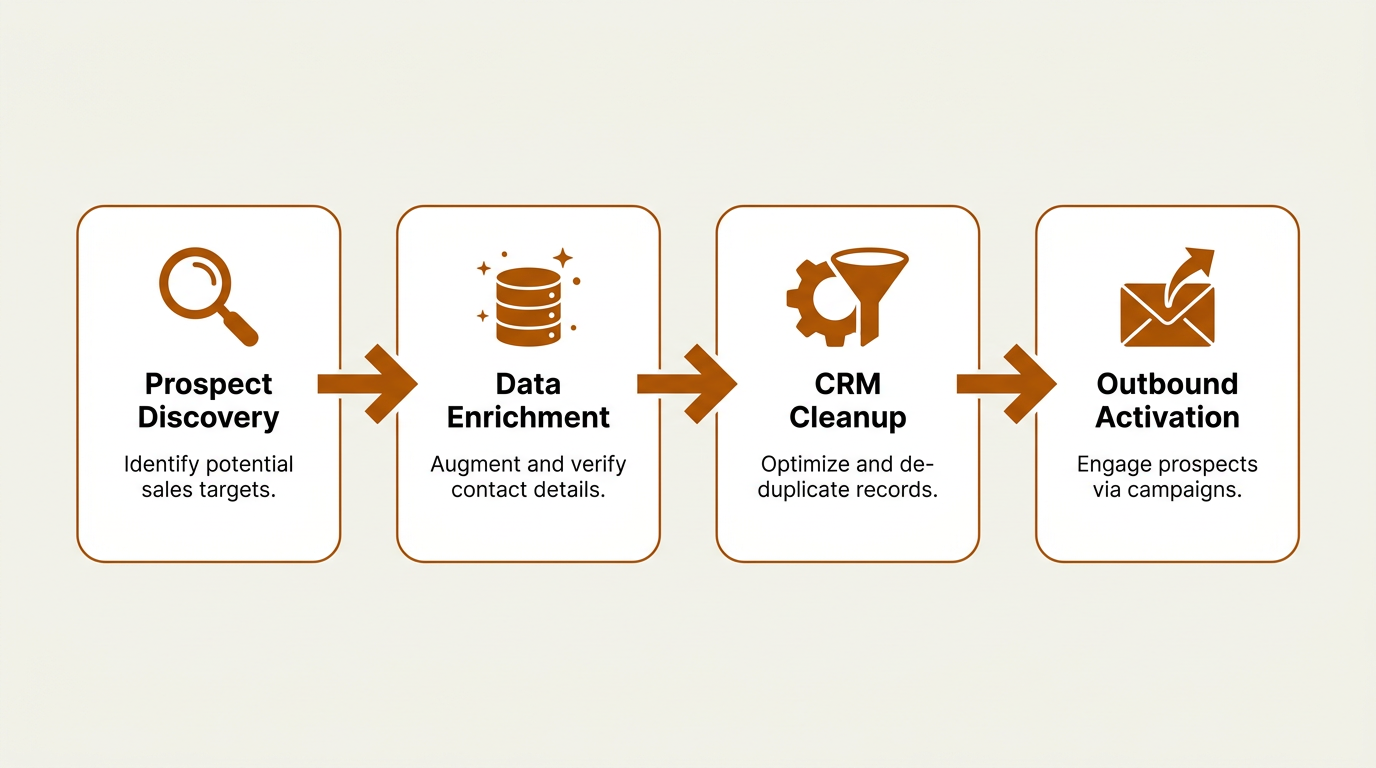
A structured four-stage workflow turns Sales Navigator signals into activated outbound sequences.
What Most Teams Get Wrong
The most common miss is assuming Sales Navigator is a complete prospecting solution. It's not; it's a discovery and research layer built on LinkedIn's social graph. Asking it to also do enrichment, verification, CRM hygiene, and sequencing is like asking a telescope to build the rocket. The next miss is overcommitting to InMail. Fifty credits a month sounds generous until you see how uneven response rates are by industry and seniority. Multi-channel outbound (email + LinkedIn + phone) tends to beat any single-channel bet.
There's also the quieter mistake that shows up months later: exporting leads and dumping them into the CRM without enrichment or deduplication. Half a year on, Salesforce has 80,000 contacts, a bunch are duplicates, and plenty don't even have an email address. Cleaning that up after the fact costs more than building the enrichment step correctly from day one. If you're looking at cheaper alternatives to major data providers, price out the operational cost of bad data, not just the subscription line item.
Key Takeaways
Sales Navigator is still the strongest tool for LinkedIn prospecting and account research. The AI features, filters, and relationship context are hard to match. Where it stops is the part RevOps cares about most: turning saved leads into verified, deduped, CRM-synced records that can actually flow into outbound. That's why most 2026 stacks pair Sales Navigator's discovery with an enrichment and activation layer. Bitscale is built for that handoff, taking raw lists and pushing them downstream as sequence-ready records with buying signals attached.
Frequently Asked Questions
Does Sales Navigator provide work email addresses?
No. Sales Navigator shows LinkedIn profile data, job titles, and company details, but it does not include verified work emails or direct phone numbers. For contact data, you need a separate enrichment tool like Bitscale or Apollo.io.
Is Sales Navigator worth it for small teams?
Core at $119.99/month can pencil out if the main need is prospect research and account mapping. If a small team is doing outbound at volume, pairing a cheaper discovery motion with a dedicated enrichment layer often produces better ROI.
How does Bitscale differ from Sales Navigator?
Sales Navigator is built for discovery inside LinkedIn. Bitscale is built for what comes after: verified emails and phone numbers, intent and firmographic enrichment, CRM cleanup, and syncing outbound-ready lists into sequencing tools.
Can I export leads from Sales Navigator to my CRM?
Sales Navigator integrates with Salesforce, HubSpot, and Microsoft Dynamics 365 to sync lead and account activity. Native bulk export of contact data is limited, so many teams rely on third-party tools or enrichment platforms to bridge the gap.
What are the best sales navigator alternatives for outbound teams?
Apollo.io pairs a database with sequencing. Clay is a flexible enrichment workflow builder. Cognism and Lusha focus on contact data with strong European coverage. Instantly.ai is oriented around deliverability. Bitscale sits in the enrichment and workflow layer, turning raw lists into activated pipeline.

Sanket
CEO | Co-Founder Bitscale


Sanket is the CEO and Co-Founder of Bitscale. He leads company vision and strategy, building the future of AI-driven sales intelligence for modern B2B teams. Sanket is obsessed with the intersection of AI and go-to-market, and has spent years studying how the best B2B companies find, engage, and convert customers at scale. He writes about company building, product strategy, and where AI is taking the sales industry.
Read other blogs
All Blogs
Best Data Cleansing Tools For RevOps Teams
A comparison of data cleansing tools for RevOps teams, covering deduplication, validation, enrichment, and CRM sync across 9 options to improve data quality and forecasting.
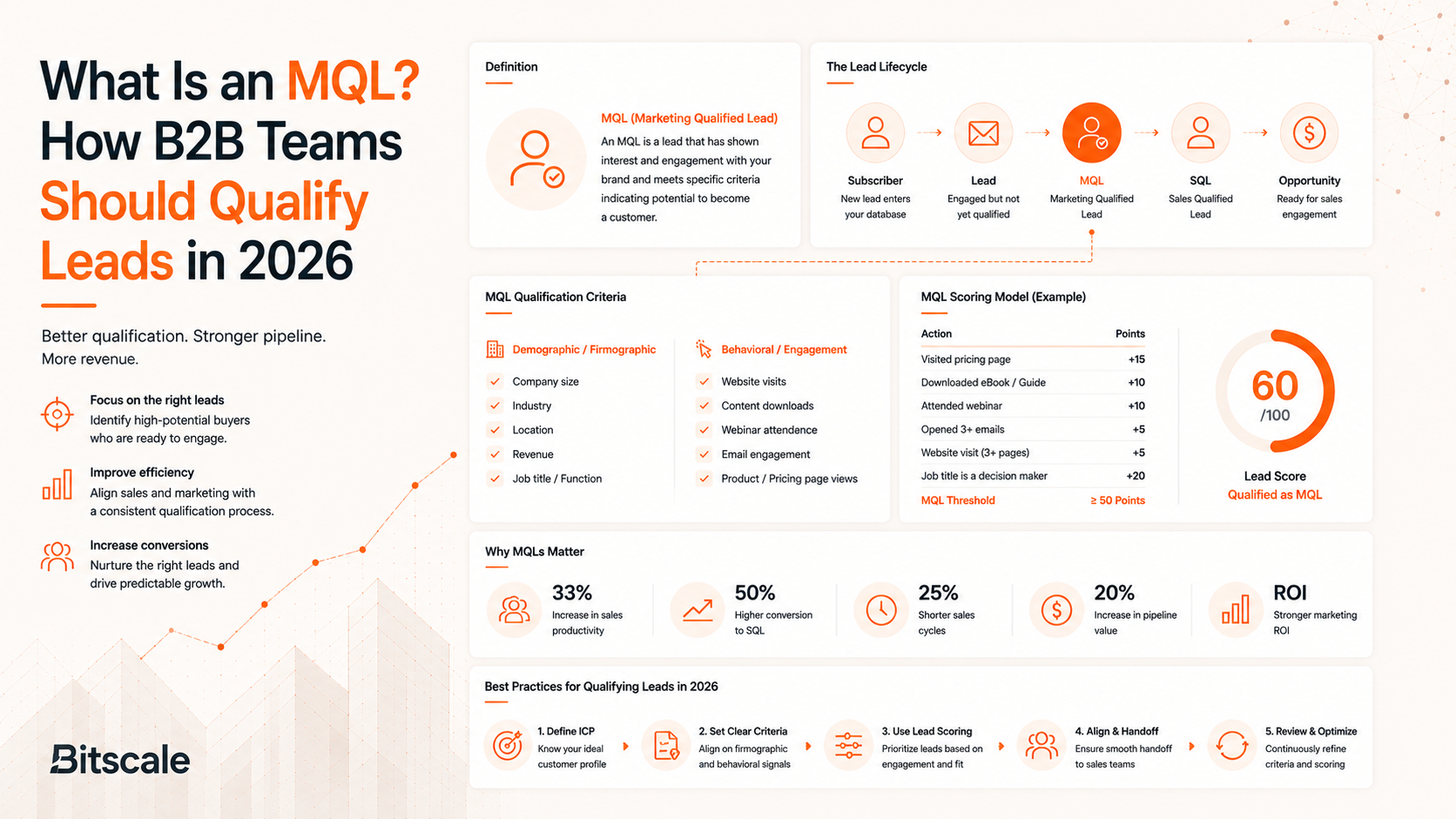
What Is an MQL? How B2B Teams Should Qualify Leads in 2026
What is an MQL in 2026? Set clear MQL criteria, align MQL vs SQL, and improve pipeline quality with fit+intent scoring, enrichment, and fast routing.
LinkedIn Sales Navigator in 2026: Features, Pricing, Alternatives, and Better Prospecting Workflows
LinkedIn Sales Navigator pricing, features, and gaps in 2026, plus alternatives that add enrichment, CRM cleanup, and outbound-ready workflows.